Dear Readers: HWS has recently started a new project for the students of engineering ====> The Engineering Projects


Write at HWS !!!

Guest Posting

How secure is your Computer ?

Check out your computer safety here . A lot of tools , tricks and hacks related to computer .

Blogger Tips and Tricks

A Lot of tips ,tricks and hacks related to blogger . Seo tricks to get maximum targetted traffic to your blog.

Easy ways to Earn Online

Online earning is not so difficult but it needs a lot of patience and hardwork. Here are some techniques to earn money through internet.

Facebook Tricks

A lot of facebook tips , tricks and hacks.It requires a lot of time but reading is must.

Pro Hacking

If you have knowledge about basic techniques then try this,but be careful as it is highly toxic.

Showing posts with label Facebook Hacks and Tricks. Show all posts

Monday, July 23, 2012

Use Facebook in Hackers's Language "1337"

Hey guys howz you all. Today I am going to share this news, every hacker loves the 1337 decoding language atleast most of the hackers do. So, if you Love 1337 then its a Good News for you, Facebook officially Launched H4X0R's Language (Hackers) 1337 (leet speak).

I really enjoyed while using it and it yours chance to give it a try and do let me know how's you find it. I think Facebook is now finally doing some kool changes after that shitty timeline. 

How to apply 1337 On your Facebook ?

  • Login to your Facebook account
  • Goto account setting
  • Search for language Option
  • Now set it to "Leet Speak"
  • You've done !
 If you want to use Facebook in your old language then set it to English (US) again and enjoy :)

Sunday, May 20, 2012

How to Contact Facebook ?

Hello guys hope you all are fine and happy. I was busy in my MS exams because of which I couldn't write any article for such a long time. Anyways here I am with a new article. Hope it will help you in some way.

Have you ever tried to contact Facebook to report a problem with your account or report a bug? It can be as hard as trying to draw blood from a stone. Here is a list of links that can help make contacting Facebook a little easier. Just note that you are not guaranteed a response from Facebook as their motto is You get what you pay for.

Mobile

Photos

Video

Pages

Groups

Errors

Contacts

Ads

Inbox

News Feeds

Home Page

Wall

Notifications

Disabled Account

Lost Content After Reactivated Account

Chat

Suggestions

Hacked

Scam

Death

Illegal

Minors

Copyright Infringement

(These links are correct at the time of publication)
If you have found another Facebook contact form that I have missed.. please leave a comment below.

Saturday, April 14, 2012

Write Anything in Your Facebook Status in Blue Link Style

In my previous post I have shared such a trick but soon it was blocked by facebook as they upgraded the site. Now I have found another script with which we can do the same thing easily lets check it out .We have seen that these days people usually tag different pages in comments and status in Facebook but usually its very difficult to find the related page which we want to tag, like once I want to tag a page some thing like "WHAT A SHIT??" but I didn't find it.So here's a simple trick to write whatever you want to write in blue link style to make fun of your friends ;->

Steps to Follow

  • Copy the following code and Paste this on your status or in your comment :

@[1: ]@@[1:[0:1: Your Text Here ]]

  • Replace "YOUR TEXT" with whatever you want to write in "BLUE"... " . 
NOTE : Works Only On Profile Walls Not in Groups.

Check the example

  • As an example check this :
  • When I paste this as my status :
  •  It appears like this ..... ;))
  •  Enjoy guys .... and don't forget to make comment .... :))

Saturday, March 10, 2012

Facebook Launched Official Chat Messenger

Facebook messenger is basically a windows application which can be used to chat with your Facebook friends without opening any web browsers . The Facebook Messenger is available in both versions 32 bit and 64 bit for windows operating system.

The most useful thing of Facebook Messenger is that it provides access to chat box  and notifications in a much smaller window. If you are using your web browser open only to chat on Facebook or prefer your chat window and notifications to be visible 24/7, then the Facebook Messenger application might be very useful for you !
  • Chat and message with your friends on Facebook
  • See the latest updates from your friends in ticker
  • Get quick notifications about what’s going on

Requirement

  • You can set up the app if you use Windows 7 on your computer. 
  • Facebook is currently working on a version of this app for Windows Vista. 
  • Please note that messenger do not currently support Windows XP. 
Note : Messenger will automatically install updates.

Download

Monday, February 20, 2012

Create Custom Facebook Tab on your Fb Page !!!

In my previous post Surprise! HWS Developed Its First Facebook HTML IFrame WebPage I have told you guys that I have done with adding a new welcome tab in one of my Facebook page.Today I am going to tell you guys how is it possible and its really a precious info you guys wont find it anywhere on web as mostly webmaster wont share it as they charge for it but here on HWS its totally free for all the lovers of HWS.To add branded look to your Fan Pages you need a custom tab so that you could then design the tab to blend your website theme. A tab is basically a link that will appear under the wall and info tabs. On clicking the tab your visitors or fans will be able to see the content inside that tab page.


Live Demo


Follow these easy steps carefully :

Create new Facebook Tab App

  • Kindly Visit Facebook Apps Page and then click the + Create New App button. 
  • Set the App Name with either your website name or blog name. You can give any name you want and you can change it later too.
  • Leave Namespace empty as its optional.
  •   Click the the Continue button and enter some security code to proceed further.

Configure Your Tab App Settings

  • In the About section, click the "Change you icon" link to upload a 16px by 16px Icon for your tab. My advise is that you upload your website logo like I have done.
  • At the end of the Facebook App Page, you will five options as shown in the below image.Click on Second option which says , App on Facebook and enter the below information.
  • Canvas URL - Enter http://YOURAPPLICATIONID.iframehost.com/ 
  • Secure Canvas URL - Enter https://YOURAPPLICATIONID.iframehost.com/
  • Now click on the last option which says Page Tab and enter the below information.
  • Tab URL - Enter http://YOURAPPLICATIONID.iframehost.com/tab 
  • Secure Tab URL - Enter https://YOURAPPLICATIONID.iframehost.com/tab
NOTE: Replace YOURAPPLICATIONID with the your Application ID which you will get at the top of your Facebook Application Page.
  • Click the Save Changes button. Congratulations you just created a tab successfully! Now just few more steps.

Add your Custom Tab App to your Fan/Like Page

  • Copy your APP ID and App Secret code and keep them safe in a notepad as we will be needing them later.
  • Now open the below link in new tab
https://www.facebook.com/dialog/pagetab?app_id=YOUR_APP_ID&next=YOUR_URL

NOTE : Replace YOUR_APP_ID with your Application ID and YOUR_URL with the url you have posted in Canvas URL which you have posted in the Facebook App Setting Page.

  • After putting this link in your URL ,a page will open as shown below in image.
  •  Now choose your page where you want to add the Welcome Tab and click Add Page Tab.
  • After that it will ask for APP SECRET which we have already saved in notepad or your can also get it from your Facebook Application Page.
  • After adding App Secret click Save App Settings.
  • If everything's going right then a note like this will come which means you are all set .... :))
  •  Now open your page where you have added the application and you will see a new tab under your Page display picture,click on it.
  • Now Authorize The Tab App and then Go To Application.
  • Hurrah !!! you can now add any html code here and can make this tab your default landing tab.
I think I have explained everything quite clearly and I am expecting a great response from your guys ..... :))
If you guys still got any problem then I m here to help you out . Let me know in comments . Take care .Have fun ..... and Gudnite as I m really got tired writing this tutorial .... :))

Sunday, February 12, 2012

Surprise! HWS Developed Its First Facebook HTML IFrame WebPage

After hours of trial and error and coding and coding and just coding, finally I succeeded in crafting and developing first Fans Welcome Page on Facebook for my new site TheEngineeringProjects. This was indeed one of the most enjoying designing thing I came across so far. Designing blogger templates, widgets, icons, buttons is more like a hobby now but taking a step further and branding a service and product on Facebook was a complete new experience. The Facebook application used in building this Welcome Page is called Static HTML IFrame Tabs.  My coming tutorials on this are close to never shared before on any blog, forum or even the Facebook developers page and most often this is done at premium levels but you will be really excited to implement it to your blogs once we publish the series Guide for free. Your motivation has helped me a lot in taking this step and I will need your valuable support always. I am really excited to share this unique "Facebook Welcome Page"  of TEP. So let's have a look of it:

PS: Please view it using any browser but not IE. The Page is Compatible with Mozilla, Chrome, Safari and even slightly with IE8+


TEP Fans Welcome Page


I will publish series of posts on this topic with free and unique Code designs and will make sure that the coding is made as easy in implementation as possible. I would be more happy viewing your Welcome Pages with different colors and tastes. Peace and blessings. :)

Need your Feedback on this!

I will highly appreciate your precious feedback on this latest finding. Your comments mean a lot. If you have any idea you can share before we publish the tutorials then please share it openly with all of us. I would love to hear how you like it.

Thursday, February 2, 2012

Facebook Timeline Cover: Create Hot Designs!

Facebook's new Timeline profile design have almost replaced all old profiles and offers a complete different social touch. We have shared detailed tutorials on how to customize the look, colors and layout of Facebook and now its time to customize Facebook timeline Cover Photos. New creative ways of Changing the look of timeline is at its peak. Some online tools have been created that lets you to automatically generate a Cool Cover for your new profile. These generated covers fit perfectly in your timeline with proper width and height dimensions. Using these tools you can make amazing cover photos either using your memorable photos or a cool designed version of your Profile title or your name.
I am listing below 4 great website tools that will help you make beautiful Cover photos for your FB Profiles. Lets check them out then!

FB Cover PIX - Facebook Cover Gallery

FB Cover Pix is created exclusively for uploading, exploring, and sharing cover photos that can be used on Facebook's new Timeline profile design. It offers a large gallery of downloadable images which you can upload to Facebook and add them as your cover pages.

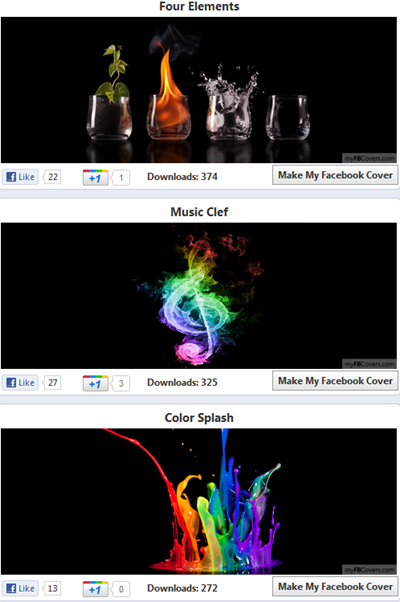
myFBCovers - Facebook Cover Gallery

myFBCovers is an interesting site that does not only allow you to create a Facebook Cover but you can also share your personalized cover with myFBcovers members and can expect to win a cash prize up to $50 per week and $100 per month if your cover gets the most downloads. You can also take inspiration from thousands of cool designed covers and can see which colors and design is downloaded the most. I am going to design one, will you? :)
It allows you to crop and adjust your cover size. You can also add effects like Polaroid and panorama. It has all possible Cover categories like Abstract, nature, celebrities, holidays and much more!
design facebook cover

TheSiteCanvas - Generates a Profile Cover

generate a Facebook Cover

The intro image that you see at the top of this post is created using thesitecanvas. It is my favorite because it lets you convert your simple Facebook Name into a beautiful Movie like Title Design. You can select which design would you like for your name or can you can even choose your photos to give them a unique look and pattern. Do try it out!

Facebook Profile Covers

Facebook cover designs

Facebook Profile Covers also lets you choose a Design cover for yourself out of 1000 available profile covers. It is pretty much similar to myFBcovers but it does not offer any cover Contest. You can only create and download your designs but can not make Money online with your covers. It is still worth try due to its beautiful colors and variations.  It though contains a watermark on all designs.
I hope you find these tools helpful in branding and personalizing your timeline layouts. I will be posting more on customizing Timeline profile. Peace and blessings pals! :)

Sunday, December 25, 2011

New Facebook Chat Smileys

  • [[171108522930776]] Troll Face 
  • [[164413893600463]] MEGUSTA 
  • [[218595638164996]] YAO 
  • [[189637151067601]] Lol 
  • [[129627277060203]] Poker face. 
  • [[227644903931785]] Forever ALONE. 
  • [[100002752520227]] OKAY 
  • [[105387672833401]] F**K YEA. 
  • [[100002727365206]] CH AC. 
  • [[125038607580286]] Forever alone navidad. 
  • [[143220739082110]] FK KIDDING ME. 
  • [[168040846586189]] Feel like a Sir. 
  • [[169919399735055]] NOT BAD 
  • [[142670085793927]] M O G. 
  • [[170815706323196]] Cereal Guy 
  • [[167359756658519]] NO 
  • [[224812970902314]] Derp 
  • [[192644604154319]] Derpina

Sunday, December 11, 2011

How to increase Facebook page likes - G+ ones - Twitter Followers

How to Change Status Of Someone's Facebook Account

Most of us know that Facebook allows us to update our status using our mobile phone. This feature is called Facebook Text. If you have Facebook Text enabled, you have to just type in the status and send this message to “923223265? using your registered mobile phone. Facebook will automatically update your status.
IMPORTANT!! :The slave MUST have the Facebook Text feature enabled in their account , if they don't then this will not work

So, in this Facebook hack, we will use SMSGlobal to change the status of your friend. SMSGlobal allows us to send message to any number from anyone’s number. That is, we will send Facebook a fake SMS from your friend’s registered mobile number.

Facebook will think that the message has been sent by your friend and his status will be updated according to the message contents sent by us.

  • Go to SMSGlobal.com and register for an account. 
  • After logging in to your account, click on “Send SMS to a Number”
  • Enter the information as follows:
Send SMS To: 919232232665
Sender ID From: The registered mobile number of your friend.
Message: The status you want to update for your friend. Enter anything you want. It will appear as your friend’s new status.
  • Hit on Send SMS. 
  • Now, Facebook will update your friend’s status to the message you have sent.

Tuesday, December 6, 2011

Latest Shortcut Keys for Facebook

If you spend a lot of time on Facebook as we know we all do then why not spend this time more efficiently and quickly.There are some keyboard shortcuts for Facebook which are specific to browser.Using these shortcuts you can easily create new messages,view account settings,View notifications etc .In the beginning its a little difficult to use them but once you get familiar with these shortcuts then you will really feel easy to navigate on facebook.So today I will share some Facebook shortcut keys with you guys for Google Chrome, Firefox and Internet Explorer.There is also a trick to create custom shortcuts keys for your computer programs.

Here is a comprehensive list of Facebook Shortcuts for each browser.

Google Chrome Facebook Shortcuts

  • Alt+1: View your News Feed
  • Alt+2: View your own Profile
  • Alt+3: View pop-up of friend requests
  • Alt+4: View pop-up of messages
  • Alt+5: View pop-up of notifications
  • Alt+6: View Account Settings
  • Alt+7: View Privacy Settings
  • Alt+8: View Facebook’s own profile
  • Alt+9: Read latest Terms of Service agreement.
  • Alt+?: Search
  • Alt+m: Compose a new message

Firefox Facebook Shortcuts

If you are using Firefox browser then you also need to press SHIFT along with the above shortcut keys.

  • Shift+Alt+1: View your News Feed
  • Shift+Alt+2: View your own Profile
  • Shift+Alt+3: View pop-up of friend requests
  • Shift+Alt+4: View pop-up of messages
  • Shift+Alt+5: View pop-up of notifications
  • Shift+Alt+6: View Account Settings
  • Shift+Alt+7: View Privacy Settings
  • Shift+Alt+8: View Facebook’s own profile
  • Shift+Alt+9: Read latest Terms of Service agreement.
  • Shift+Alt+0: Open Facebook Help Center
  • Shift+Alt+?: Search
  • Shift+Alt+m: Compose a new message
NOTE : If you are using Internet Explorer then you you can use the Facebook shortcuts of Google chrome but you have to press ENTER after each shortcut .

Friday, November 25, 2011

How to Secure your Faceboook Account from Hackers

Facebook is the top social networking site in the world now, where most of us has at least an account (about 30% has more than one account) associated with it. Facebook is a great way to have fun using their fan pages or groups etc.It also has games and much more stuff but the question is how to secure Facebook as the ratio of Facebook hacking is increasing day by day.
Facebook has provided us a lot of ways to secure accounts but usually people don't give attention to it. If you have never touched any part of Facebook security, here I am gonna post five quick tips to get your Facebook secured.

1. Create a strong password for authentication

Passwords can be easily broken by brute-force technique,in which user use some software etc to crack your password, if you choose to use a short and simple password. If you don’t have a strong and alphanumeric password for your account, then whatever security guides that you apply below is not going to do any better,so first of all make your password strong.For this add symbols like these !@#$%^&* in your password and also add numbers in it. Your password must be a combination of lower case, upper case, numeric and special characters like symbols I have above mentioned.

2. Enable secure HTTPS connection

HTTP connection is totally outdated,its very easy to hack HTTP connection as it is extremely vulnerable to man in the middle attack. So to avoid this, Facebook offers the HTTPS connection which is a secured one and very difficult to hack.In HTTPS all the data you entered from your computer and sent to Facebook server is completely encrypted. Even if there is a man in the middle who taps your connection,he will get nothing.

3. Enable login notification with Mobile

If you enable the log in notification,it will send you message on your mobile whenever someone tries to log in from your account . So when you get this message that someone is using your Facebook account without your permission (means he hacked your account), you can immediately kick them out and call for a new password so that he can never login anymore. This feature is very good and you can enable notifications from both email and mobile SMS.
NOTE : I will recommend to use mobile notification ,so that you are warned immediately after the unknown access to your account.

4. One Time Password in login approval

One Time Password is a 2 factor authentication technique in which you enable all logins from unknown devices to use One Time Password.In this method whenever someone tries to log in to your account from unknown device a code comes to your mobile,without entering that code ,the hacker wont be able to access your account. In this way,you can easily ensure that only you can login from an unknown device.With the use of this method, there are only 2 ways for the hacker to use your Facebook identity. One is to get access to your recognized device which in most cases is your computer or smartphone. The other way is to get access to your mobile phone and then he will easily get the one time password.

5. Logging out from Facebook

Whenever most people are done with Facebook i.e checking and replying messages and notifications, they won't log out their Facebook account and just close the web browser and simply walk away from the computer,actually they assume that the session is logged out. This is a really big mistake as not all the web browsers works the same. Some still retain your previous session, in other words your cookies even though the web browser is closed. Always remember to log out after completing your tasks.

Tuesday, November 15, 2011

Write Anything in Your Facebook Status in Blue Link Style

This trick is no more working check the latest one here ===> Write Anything in Your Facebook Status in Blue Link Style

Its a simple Facebook trick lets check it out .We have seen that these days people usually tag different pages in comments and status in Facebook but usually its very difficult to find the related page which we want to tag, like once I want to tag a page some thing like "WHAT A SHIT??" but I didn't find it.So here's a simple trick to write whatever you want to write in blue link style to make fun of your friends ;->


Steps to Follow

  • Copy the following code and Paste this on your status or in your comment :

@@[0:[165125763534994:0: "YOUR TEXT" ]]

  • Replace "YOUR TEXT" with whatever you want to write in "BLUE"... " . 
NOTE : Works Only On Profile Walls Not in Groups.

Check the example

  • As an example check this :
  • When I paste this as my status :
  •  It appears like this ..... ;))
  •  Enjoy guys .... and don't forget to make comment .... :))

Friday, November 11, 2011

Create a Google+ Fan Page - Latest feature on G+

Google plus added a new feature named Google plus Fan page or Follower page. It is as same as Facebook Fan Page, the only difference lies in +1 and like . In Facebook we have to like the page but in Google+ we have to +1 the page and also to follow it. The follow link is given in the top right corner while the +1 link is given under the display picture of Google page. It is a good way to drive your traffic from Google+ to Your site or blog .So let's see how to create it .

Steps to Create a Google+ Page

  • First of all go to Google Plus Pages.
  • Choose Local Product or Brand as your category.You may choose any other according to your need.

  • Now fill all the details as shown above e.g. page name and site link etc.
  • Tick the Agree box to accept the terms and now click on CREATE button.
  • You have successfully created a Google+ page for your website.
  • Now invite your friends to follow it.
  • Now give keywords to describe your page and also upload the blog logo.
  • Now start posting on your page and also inform others to follow it.
NOTE : If you like this post then follow our HWS Fan Page on Google+ . You may also Follow Me on Google+.

Saturday, November 5, 2011

Latest way to Get Free Mobile Credit through Embeepay 2011

I have written a post about how to get free credit through embeepay on your mobile about a year ago but now embeepay has changed its rules. So I thought of re-writing that post again to tell you guys about the new rules and how you can get easy load on your mobile now .
Follow These Steps 
  • First JOIN EMBEEPAY & allow the application on facebook. 
  • Now enter your phone number and get registered and you will get 50 points.
  • After that validate your account .You will get a code in 3-4 min ,enter it and get 50 more points.
  • Now subscribe to their mailing and get 50 more points.
  • You also get 20 points for sharing your info with Embeepay.
  • Now total you got is 150 points very easily.
  • After that go to earn and do different surveys and offers and earn points.I will recomment to do those surveys which are free nad give low points like fb app etc . There are lot of offers you can do.
  • Moreover suggest 5 friends and when they register you will get 100 points.
  • And also there provide limited offers like rite now their offer is get 200 points on suggesting 5 friends but these friends must join under you .
  • Through referred friends you also get some some bonus points.
  • To redeem these points click on friends >> Invite >> Check Reward  and if you earned some points then their will be a button Claim Now . Click it and redeem points from your referred friends.
When you reached to 400 points ,go to redeem and you will get easy load of 400 Rs.

Advice

  • Join Embeepay and get all the free points which I mentioned above.
  • After recieving all the points,your points will become around 300 .
  • Now do simple short offers and you can easily redeem your first balance. 
  • But after that its really tough to complete the offers and get another 400 points. 
Well Gud luck guiys and when you get your first balance do share it with me .... :))

Sunday, October 30, 2011

Post Animated Pictures in Your Facebook Status

These days , you might have noticed that many people are posting tiny animated images in their Facebook status updates. Particularly on Facebook Pages,this turn is growing day by day. I have already posted about How to use Stylish Fonts in your Facebook Status but what about using both Stylish font and Tiny Animated Images together.They will create more fun. Those tiny animated pictures which we are going to add are called "Emoji art". Actually, Facebook doesn't allow to use them so you can't post those pictures directly to your wall,although ,any Facebook developers have introduced some applications on Facebook and by using them you can easily post those animated pictures on your Facebook walls or even can send a message to your friend.
NOTE : While writing a status you will see some sort of unsupported codes and you wouldn't actually see those pictures BUT once you have posted those weird-looking codes in your Status, they will automatically turned to animated pictures.
There are two applications which allows you to post Emoji art on your Facebook.Lets check them one by one.

1) Emoticonize your Post

"Emoticonize your Post" is one of the best,most used and popular application to post animated pictures in your Facebook status updates.This application has around one million likes.Not much difficult to use,Just follow the simple below steps and you are on :
  •  Choose any of them and it will be automatically posted in the area below Select anyway you want to write by selecting these icons.
  • Once you have done adding them, Click on POST.
  • Now press Ctrl+V and copy all of them and paste the content in the next popup box as shown below :
  •  Now as I have said above in NOTE, you wouldn't see images, but don't worry they will appear in the status .... :))

Animated Pictures

Let's come to the second application named Animated Pictures.Same This is different from the above application in the sense that ,in spite of allowing to post animated pictures in Facebook, Animated Pictures also allows you to write your favorite lines in Facebook and use animated pictures where ever  you want.

  • Go to Application page and allow the Application
  • Now Click on Emoji animations as shown in below picture :

  •  In order to load more animated pictures click on "X" button and close the advertisements.
  •  Now in "Message" box, write whatever you want. 
  • Click on the desired image,when you want the animated picture to appear in your message.
  • You may also click on Preview to see how this will look like.
  •  Now Select the option where you want to share this Animated Message i.e. friends wall,your wall,  group, pages etc. as options are given.
  •  Now click on Send after you have done with your message.
  • Press CTRL+V and click on Share.
  • Thats it !
My experience : Personally I like the first application more than the second one.Well try both and do let me know,which one you like most...... :))

Sunday, October 23, 2011

Check the Profiles of Founder of Facebook - A simple Facebook Trick

Today i am just gonna post a simple trick related to Facebook . I really enjoyed this trick about half an hour so thought of sharing it with you guys ...... :))

Do you want to meet the founder and co-founders of Facebook.Here's a simple fun .


  • Just edit this id http://www.facebook.com/profile.php?id= and add numbers after it.
  • Like 3 ,4 ,5,6 and check the profiles of founders of facebook.
  • I dont know why it doesn't work for first three ids e.g. 1,2,3 but if u enter 4 after it then the profile of Mark Zuckerberg ,the founder of facebook,will be opened e.g. http://www.facebook.com/profile.php?id=4
  • I tried it many times and check the initial members of facebook.
  • Its really intresting .... :))
By the way whats your facebook ID .
Thing to Notice : All the initial members have disabled the facebook add friend button and I think they dont need to add it ..... :))

Wednesday, October 19, 2011

Facebook For iPad Launched - Get Your Copy Now

Does this sound weird. Like what? Facebook app was not on an iPad? Well..it was not until now. Facebook recently launched the new application that could be installed on the iPad easily. Due to the devices massive screen, the Facebook app really shines high as compared to on iPhone. There are few differences in the iPad version where we get to have a more wider work space.

As shown in the picture above, the notification menu lays over the page, as a separate window which was not possible in iPhone due to the screen size. Scrolling through pictures is really easy and fun in Facebook for iPad. Simply scroll (wipe) across the page to change the pictures.


Navigate Anywhere, fast

With Facebook for iPad, now you dont need to look up for your notes, games, pages etc. Every thing is nicely lined up in the menu over left that is initiated with the blue button over top left of the app.

Other settings like friends requests, notifications and news feeds are right in front over the top blue tab. Every thing is accessable pretty easily with the new Facebook for iPad version. 
Facebook says: The app comes with a bunch of other new features: You can chat with friends right from your iPad, for example, or play games and use apps in full-screen mode. You can also watch high-res videos inline, record HD video and stream to Airplay devices.
So what to wait for. Download Facebook for iPad now. Do you guys really use Facebook or other social media apps on your cellphones? Or you prefer the text based updates option?

Disable Facebook Timeline Application - Recover Old Facebook Profile

Facebook timeline is a great way of displaying your old photos, memorable posts and apps with your friends and family. This feature changes your entire Facebook Profile layout into a more attractive look. I previously wrote a tutorial on how to Enable Facebook Timeline Feature and today I am sharing the tutorial on how to completely remove the timeline app from your profile and revert to older Facebook profile layout. Since this time-based story telling did receive mixed feedback therefore it would be really helpful for most of you to learn how to undo/delete this application.

How To Disable Facebook Timeline Layout?

  • Log in to your Facebook account
  • Then visit this page Developers
  • Towards your left you will see apps. Choose the app you created for timeline. In my case I named it Timeline Feature.
timeline settings
  • Click the Edit Settings link,
edit timeline settings
  • Then on the settings page towards bottom-left you will see many options under related links, Choose Delete App. Which will delete the timeline app.
delete timeline
  • Confirm to delete the app and Bingo you have successfully shifted back to the older Profile view.
  • Visit your profile to see it in its exact previous look and layout. 
My Opinion : Personally I don't like this timeline view of facebook. I always prefer the old look .... :))
Do let me know if you needed any help pals. Hope you find this helpful. :>

Hack facebook account password using recovery password loophole

I am going to teach you Hacking Facebook account passwords, i have already explained Hacking Facebook accounts or password using keyloggers and Phishing and also we learnt how to hack facebook using tabnabbing but this is absolutely manual method to hack Facebook password and its working...Did you got  a shock if not, then you will get after reading this article. Facebook is adding more and more features to attract users but when you develop something that's for sure you will introduce new loopholes. Today i will explain you how to hack a Facebook account password just by utilizing recovery password loophole. These novice coders think that they have made secured features but they really doesn't their daddy is sitting outside.
Note :  This trick works after 24 hours if victim account is not logged in in 24 hours then only you can hack dude... and this is not a good hacking trick.

Requirement to hack someone's Facebook account:

  • Victim (whose Facebook account password you wanna hack) should be on Facebook.
  • Create four to five fake Facebook accounts(three are sufficient but one more for bonus). I will advice you that create accounts with girl names and put an awesome girls photograph. Fill the basic profile.. Why i am saying create account with Girl names is just because Hungry boys accepts girls friend request without any delay. And if you know the person personally then create account with names of his near ones and say that you have created new profile so add you as a friend. Note all the three to four fake accounts should not be friends or any relationship with each other.
  • Most important requirement you need to add all above three account to the friends list of victim whose Facebook account you want to hack. Above method will be helpful for that :P.
  • At least two web browsers. So that one can be used as recovery purpose and one for viewing codes.
So guys i hope you all are clear with requirements to hack Facebook account password. Now lets hack someone's  Facebook account password practically to show that hacking Facebook account really works.

Steps to hack any Facebook account

  • Open the Facebook in your web browser.
  • Now Click on Forgot your password? Now a new tab will open something like this. In the email box give the email ID and press enter or click on search button as shown in below snapshot..
  • Now after Clicking on search you will get an Captcha verification. Type the words displayed and press enter.
  • Now You have reached to the screen Where Facebook gives the search results of the identity of previous step. There you will see button saying "This is my account" just click on that as shown below in snapshot:
  • Now you have reached to the below Facebook password recovery screen as show below:
  • Now Click on "No Longer have access to these?" hyperlink to go to next step.
  • Ahhah... It sounds great everything going smoothly... So friends after following above step facebook asks you to Enter your new email ID for contact. Its most important as password reset request after submitting codes will be received on this.
  • After submitting you will have either of two situations:
a. First One will be recover your account with friends.
b. Answer the security question if victim has set the security question.
  • Now what...Oops.. he has set the security question and i dont know the answer... What should i do??.....Scared ... nopes...worried... nopes... Let's enter wrong answer to his security question three times...
  • Now you are at screen saying " Recover your password using your friends" as shown below in snapshot.
  • Just click on continue and select the three trusted friends :P The three fake accounts that we have created for him to hack his account....:P..
  • You can also perform this hack by making your friends participate to hack someones account...Now select three accounts one by one as one... Below is the screen shot showing that i have selected three friends whom i am sending codes.
  • Foow....Oops.. I got all the three codes....Below is the screen where you will enter those three codes that you have received...
  • So guys we are done.... Fill the codes into boxes that you have received into you messages in Facebook and on email if feed is subscribed.
  • Click on submit now it will ask you to validate your email account that you have filled . That email should be genuine as you will receive recovery email on that email account only.
That's All !!!

Feel free to ask any question ..... :))

Twitter Delicious Facebook Digg Stumbleupon Favorites More


Recent Posts

Join Me On Facebook

700+ Followers

Followers


meet women in Ukraine contatore visite website counter
DMCA.com

Recent Comments

Follow Me On Twitter

1112+ Followers